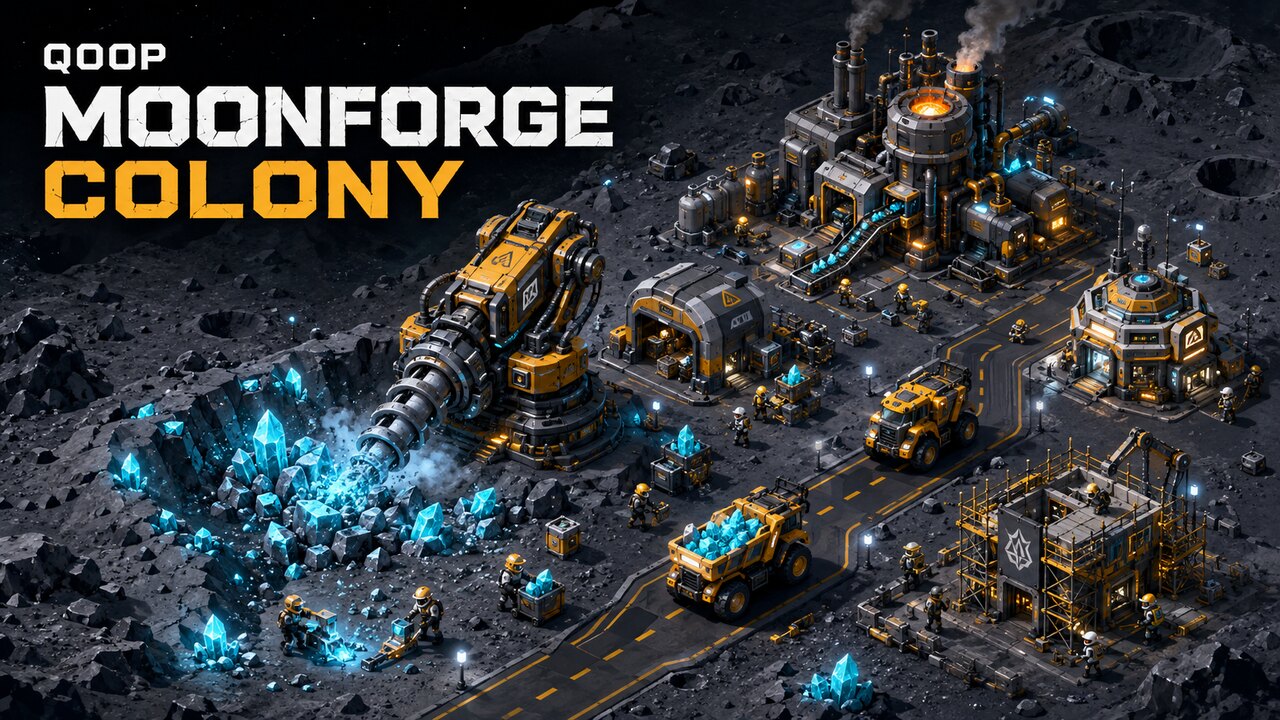
Q00P: Moonforge Colony is an original incremental mining tycoon set on a remote lunar frontier. Start with a small operation containing one drill, two workers, a basic hauler, and limited storage. Extract glowing cyan ore, load it into industrial vehicles, transport it along marked roads, and process it into valuable metal and Credits.
Every important production step appears directly on the isometric map. Workers walk to their assignments, mine deposits, carry resources, assist loading, construct buildings, and repair equipment. Haulers follow a defined waypoint network, wait in loading queues, display visible cargo, unload at their destination, and return to the depot for another journey.
Expand the colony with Mining Drills, Worker Hubs, Hauler Depots, Refineries, Warehouses, Power Stations, and Research Labs. Upgrade production rates, vehicle capacity, storage, worker efficiency, and processing speed. Complete missions and unlock research across Mining, Logistics, Industry, and Colony technology branches.
The game is designed for landscape smartphones with touchscreen controls, map dragging, pinch zoom, automatic saving, adjustable simulation speed, and limited offline progress. No installation or account is required.
⌨
Controls
Landscape smartphone controls:
• Tap a building, worker, or vehicle to inspect it.
• Drag or swipe across the map to move the camera.
• Pinch with two fingers to zoom in or out.
• Tap Build to select and place a new structure.
• Use Workers and Vehicles to expand your crew and fleet.
• Use Upgrades to improve selected colony structures.
• Tap x1, x2, or x4 to change simulation speed.
• Tap the pause button to stop or resume production.
• Rotate portrait devices to landscape before playing.
Desktop players can drag with the mouse, click interface buttons, and use the mouse wheel to zoom.
▶
How to play
1. Begin with one Mining Drill, two workers, one hauler, and basic storage.
2. Allow your workers and drill to extract cyan ore from the lunar deposit.
3. Watch the hauler travel from its depot to the mine, wait for loading, and carry the ore along the marked road.
4. Complete the current mission shown on the left side of the screen and tap it to claim the reward.
5. Recruit additional workers and purchase another hauler when enough Credits are available.
6. Deliver 100 Ore to unlock the Refinery. Open Build, select the Refinery, and tap a compatible glowing construction pad.
7. Workers will walk to the construction site and build the structure gradually. Once completed, haulers can deliver ore to it.
8. The Refinery converts Ore into Metal and generates Credits. Use both resources to upgrade the colony.
9. Construct a Power Station and Research Lab to unlock advanced research.
10. Continue upgrading production, storage, worker housing, hauler capacity, and processing speed until Moonforge becomes a large automated colony.
Progress saves automatically on the current browser.
✦
Tips
• Use x2 or x4 speed during early missions to accelerate production and construction.
• Upgrade the Hauler Depot before buying more vehicles because every hauler requires an available fleet bay.
• Increase Worker Hub capacity before recruiting a large crew.
• Build the Refinery as soon as it becomes available. Metal is required for advanced buildings and high-level upgrades.
• Upgrade the Mining Drill if haulers frequently wait for ore. Upgrade loading speed or vehicle capacity if ore accumulates at the mine.
• Tap workers and haulers to check their current activity, assignment, cargo, and destination.
• Construct one important building at a time so available workers can finish it quickly.
• Offline production is limited to four hours, so return periodically to collect resources and continue expansion.